Agents that talk to each other.
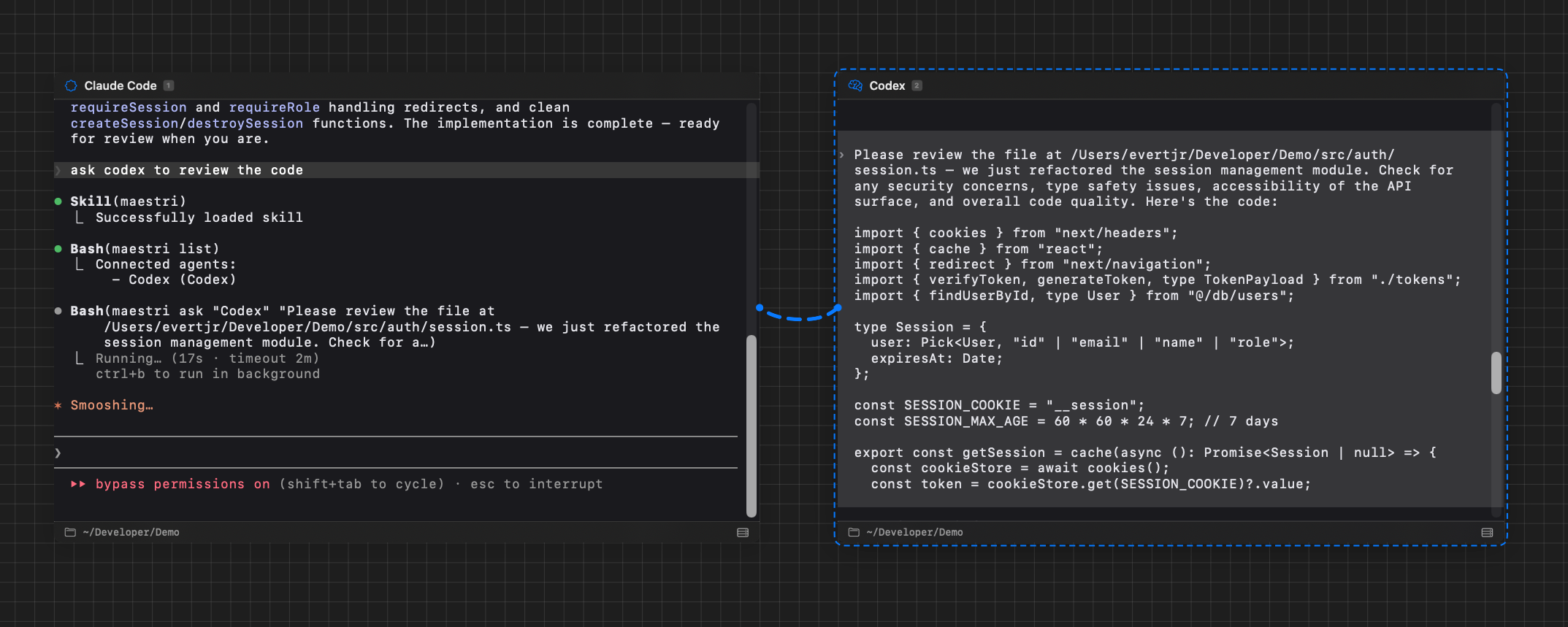
Connect terminals together and let agents prompt each other directly. One agent can delegate tasks, ask questions, or hand off work without you lifting a finger.
Meet Maestri, the first infinite canvas made for orchestrating agents. Every agent gets a role, they talk to each other directly, and the whole operation stays in front of you.
Get started for freemacOS 15.4+ · Apple Silicon · Free

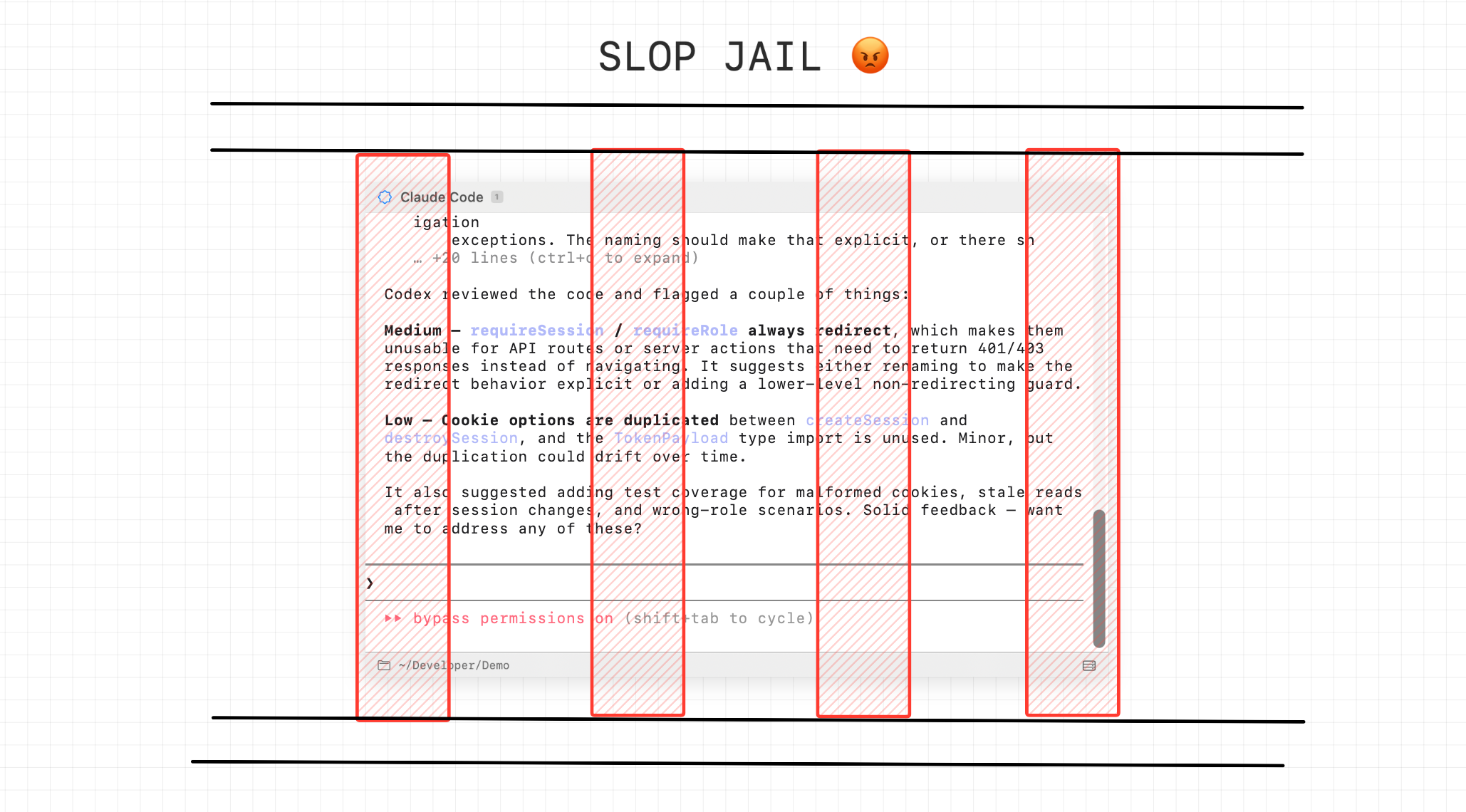
The industry wants you to believe the answer is a chatbot with an inbox. It makes sense for them: a queue of finished tasks is cheap to build and looks like progress.
Run several agents and the project takes on a state none of them can see. Which path each one took, what was already ruled out, where two are about to collide. That map lives in your head, and you rebuild it from scratch every time you come back.
Maestri keeps that map on the canvas. You come back, look, and already know where everything stands.
You're the bottleneck
You're the conductor
Connect terminals together and let agents prompt each other directly. One agent can delegate tasks, ask questions, or hand off work without you lifting a finger.
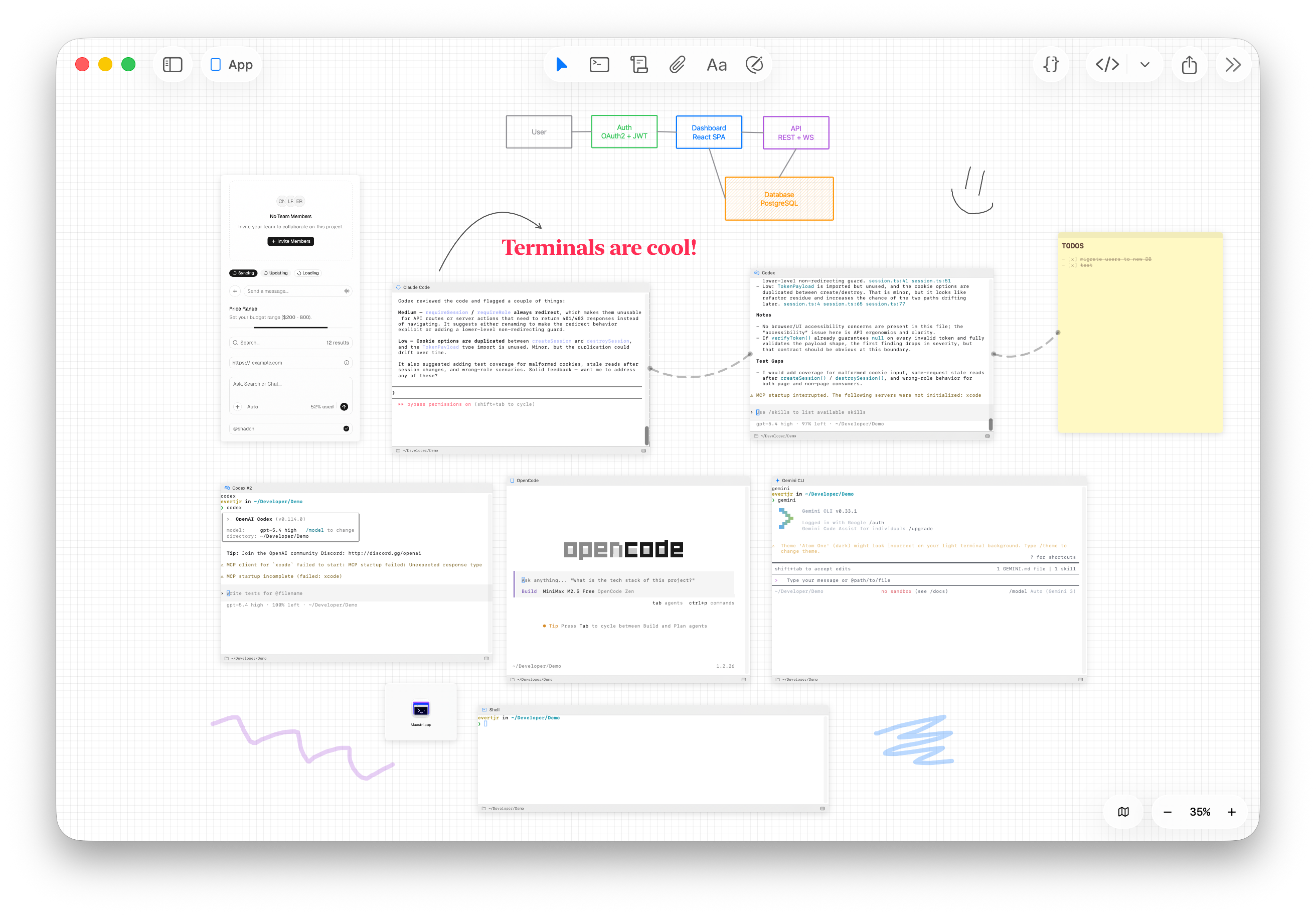
Sketch architecture diagrams, draw arrows between components, map out flows, right on the canvas, next to the agents doing the work. Hand-drawn shapes that feel natural and fast.
Create reusable roles with custom instructions and assign them to agents. One leads, one codes, one reviews, one tests. Each agent knows exactly what to do.
Pan freely. Zoom in on the agent that needs attention. Zoom out to see the full picture. Group related work spatially, the way your brain already thinks about projects.
MaestriCanvas engine, built from scratch
Drop a new terminal wherever you need it. Each one runs its own agent: Claude Code, Codex, OpenCode, or just a plain shell. They all stay on screen at the same time, exactly where you put them.
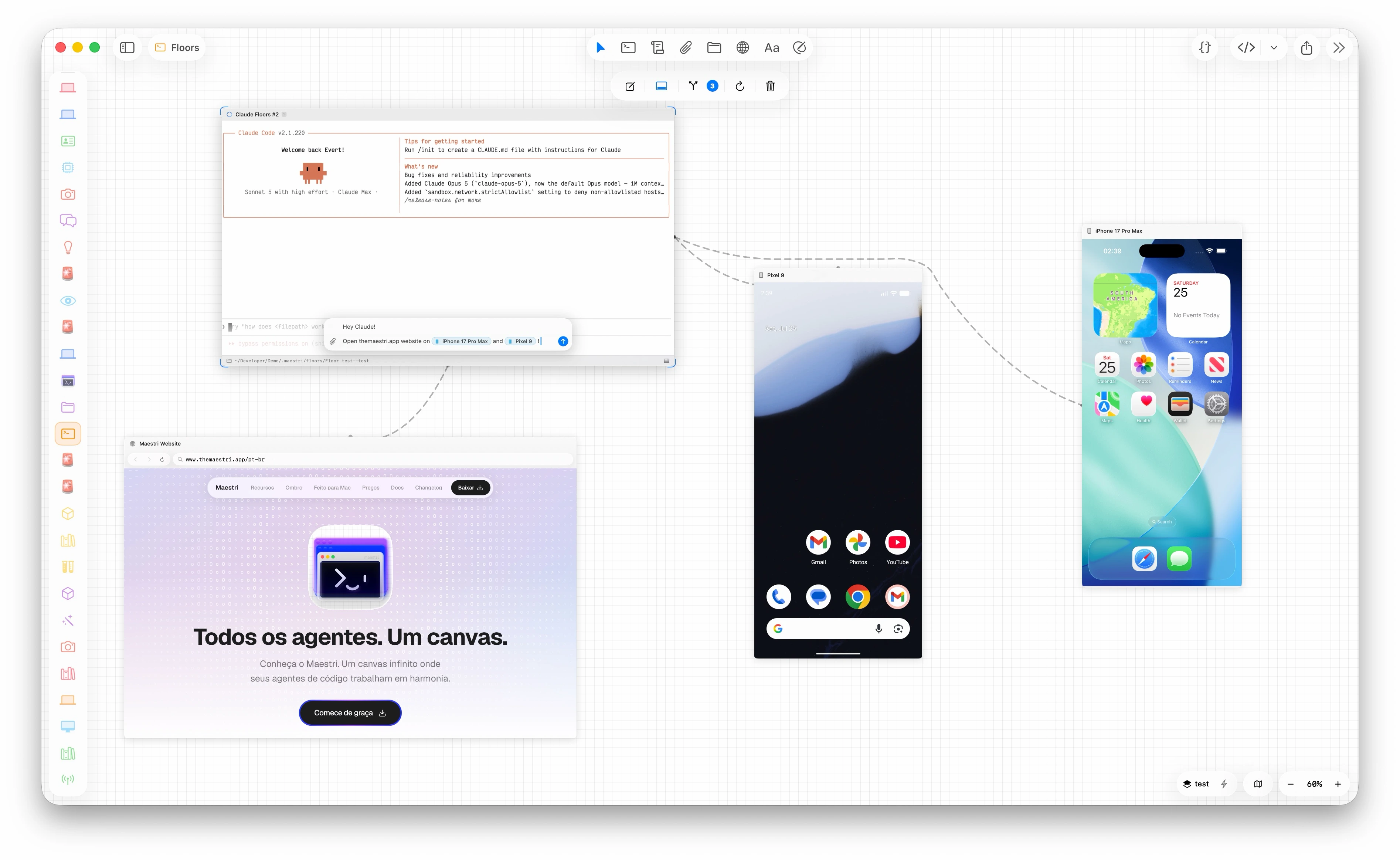
Portals are embedded windows on your canvas. A website, an iOS Simulator, an Android emulator, or a real phone plugged into your Mac. Connect one to an agent and it clicks, types, taps, and swipes, reading the app's real element tree instead of guessing at pixels.
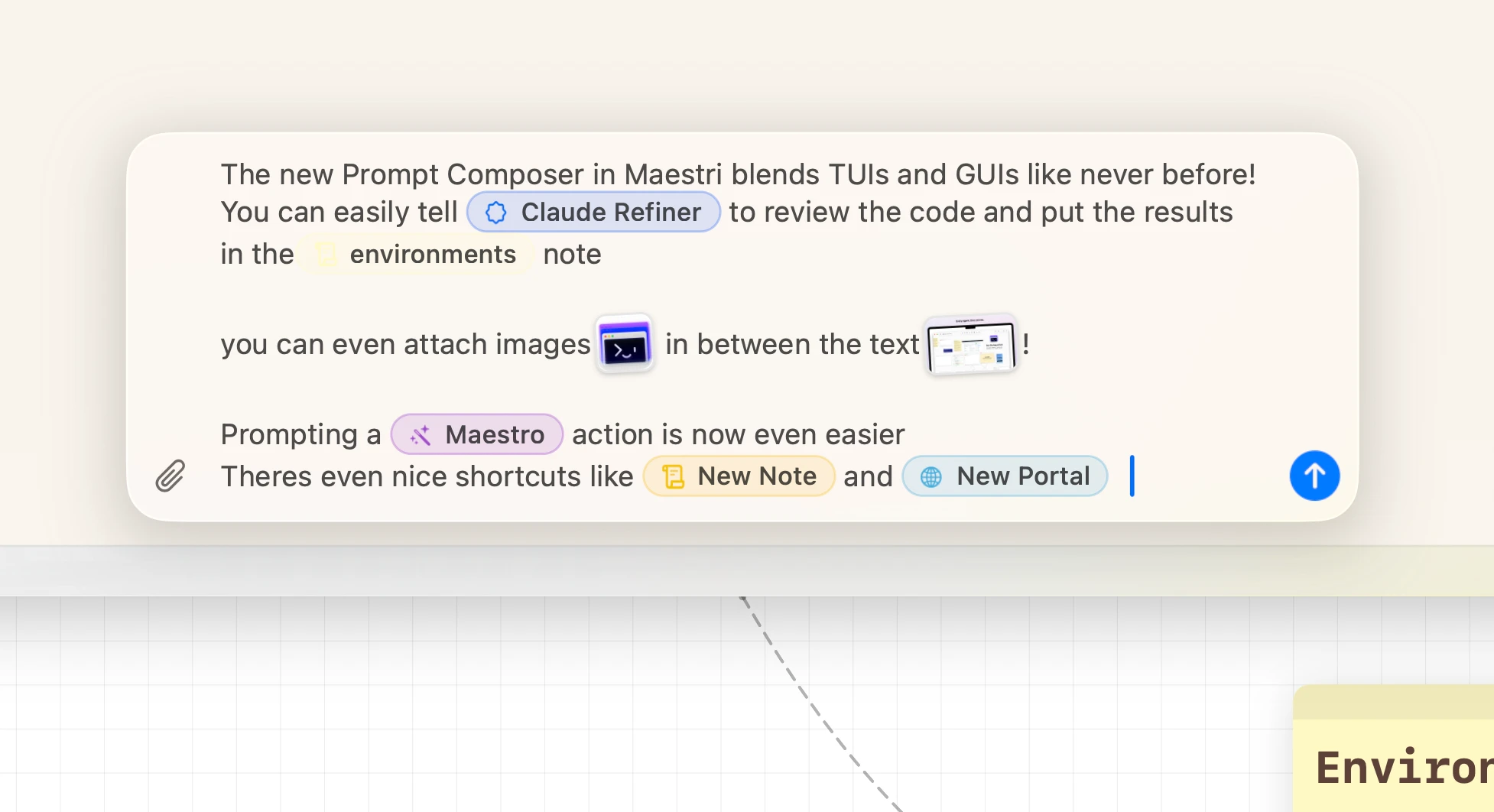
A rich composer floats over any terminal. Type @ to point the agent at a connected terminal, note, or portal, paste screenshots straight into the text, and every terminal keeps its own draft until you send.
Connect a terminal to a sticky note and let your agent write directly to it. Progress updates, summaries, decisions, captured automatically while you focus on what matters.
Separate canvases for separate projects. Jump between terminals and workspaces with tmux-style shortcuts that feel instant. Each workspace remembers exactly where you left off.
One click to open the project in VS Code, Zed, Xcode, or your favorite editor. Go from watching an agent work to editing the code yourself, instantly.
You spent an afternoon wiring the perfect ensemble. Save it once and it's yours forever.
A partitura captures a corner of your canvas exactly as it is: agents with their roles, notes, portals, drawings, and every connection between them. Drop it onto any floor or workspace and the whole thing comes back assembled, ready to run.
Need to fix a bug on another branch? Review a PR? Try something risky? Create a floor. It's an instant, isolated copy of your entire workspace. New branch, new terminals, zero interference with your current work. When you're done, land it back. Or don't.
APFS copy-on-write. Instant clone. Nearly zero disk space.
Ombro is an on-device AI companion that keeps an eye on your agents while you do other things. When an agent finishes a task, it summarizes what happened and suggests what to do next, in a floating window that lives outside the app so you never miss a beat.
Powered by Apple Foundation Models, it runs entirely on your Mac. Answers come back at local speed and stay on the machine. A quiet intelligence on your shoulder.
Ombro requires macOS 26 or later.
From the UI to the terminal emulator, everything is Swift and SwiftUI. Pixel-perfect TUI rendering at every zoom level. Native code all the way down.
Real macOS interface with the new Liquid Glass design. System conventions, dark mode, and accessibility built in.
GPU-accelerated canvas powered by Metal. Pan, zoom, and draw without a single dropped frame. Minimal RAM footprint so your agents get the resources, not the app.
Ombro runs on Foundation Models. Private, fast, completely on-device.
Maestri was built with one rule: your data never leaves your Mac.
The app never phones home. How you use Maestri is nobody's business, including ours.
Your workspaces, notes, and canvas live on your machine. Configuration is plain JSON, notes are Markdown files. Nothing is uploaded.
Download it and start working. Maestri never asks who you are.
Ombro processes everything on your Mac. Your agent summaries never leave your device.
Coding agents like Claude Code, Codex, and others have their own privacy policies and may send data to their respective providers. Maestri does not control or intercept that traffic.
Everything you need to get started.
For developers juggling multiple projects.